Logon
Nederlands, English
Donate to ASK-Solutions (IRADIS Foundation)

Systems, devices and setup

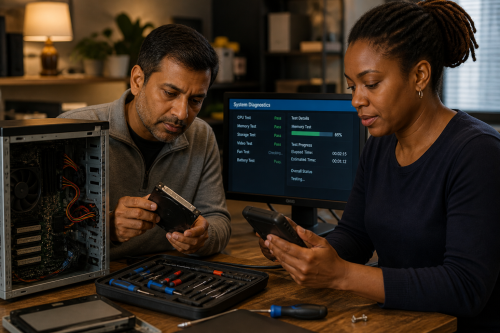
ASK-ICT-Solutions helps people and organisations understand, choose, set up and maintain the technology they use every day. This can involve computers, laptops, printers, phones, networks, accounts, software, accessibility settings, updates, back-ups and practical maintenance.

The aim is not to quickly change a few settings and leave. We explain the choices, show how things work, compare possible solutions, and help you practise the steps where useful. A system is better when the person using it understands it better afterwards.

Choosing a suitable system

A new computer is not always the right answer, and an old computer is not automatically finished. Together we look at what the system is used for, which software is needed, which devices must keep working, how much performance is actually required, and whether repair, upgrade, refurbishing or replacement makes the most sense.

This can include a new system, a refurbished computer, a lighter software setup, a Linux installation, extra memory, new storage, a better screen, a more suitable keyboard or mouse, or keeping older hardware available because it controls a machine or runs specific software.

Assisted purchase and setup

Sometimes someone knows they need a computer, laptop, phone, printer or other device, but does not feel confident choosing, ordering or setting it up alone. This can be because of age, language, accessibility, lack of online payment options, lack of a stable formal address, earlier bad experiences, or simply because the technical choices are unclear.

Where useful, we can help select a suitable new or refurbished device, arrange the order and payment, and set it up together. The device is intended for the person or organisation using it; ownership, warranty and important documents should remain clear from the start.

Setup can include installing software, creating or recovering accounts, configuring updates, setting privacy options, connecting printers and scanners, setting up mail, transferring files, checking accessibility settings and documenting the important details so the setup can be understood later.

Software, apps and accounts

Software choices can make a system easier or harder to maintain. We explain which applications are available, what they are used for, what the differences are, and why it may be better to choose one tool over another. Sometimes the right choice is to stop using a particular service because it has become too expensive, too intrusive, too difficult to manage or too dependent on one account.

We can help with operating systems, office software, mail clients, browsers, password managers, cloud services, photo tools, communication apps, free software alternatives and account settings. The goal is not to install as much as possible, but to create a setup that is understandable, maintainable and appropriate for the person using it.

Learning to manage the system

Many problems become less frightening when the ordinary tasks are understood. We can show how to update software, check storage space, recognise important warnings, connect to Wi-Fi, manage files, use a password manager, change basic privacy settings, clean up temporary files, and understand which messages should or should not be trusted.

We encourage people to take notes and practise. If a step is important, it should not only be done for you; where possible it should be shown, repeated and documented in a way that you can use again later.

Printers, ink, toner and peripherals

Peripherals often cause more frustration than the computer itself. Printers, scanners, keyboards, mice, screens, external drives, docks, adapters and cables can fail, wear out, become dirty, lose contact or be difficult to configure.

We can help set up and maintain peripherals, but also explain the practical tasks: how to replace ink or toner cartridges, which parts should not be touched, how to avoid damaging a printer, how to clean a mouse, keyboard or screen, which cloths and cleaning liquids are suitable, and when a problem is more than ordinary maintenance.

Networks, access and security

A system is often part of a larger environment: Wi-Fi, routers, network storage, printers, cameras, phones, shared folders, mail accounts, remote access and cloud services. Problems can appear on one device while the real cause is somewhere else in the setup.

We can help make this understandable by mapping which devices and accounts are involved, who has access, how passwords and recovery options are managed, where data is stored, and which parts of the network need better protection or clearer documentation.

Camera systems and recordings

Camera systems can involve cameras, recorders, apps, accounts, network access, storage, privacy choices and access to recordings. A camera system is not only a technical product; it also raises questions about who can view the images, how long recordings are kept, how access is protected and whether the setup is proportionate.

Where camera systems are involved, we focus on understanding the setup, securing access, documenting settings, explaining storage choices and making sure the people responsible know how to use and maintain the system.

Maintenance and continuity

Good maintenance is often simple but easily forgotten: updates, backups, cleaning, checking cables, replacing worn parts, documenting accounts, testing recovery options and making sure one person is not the only one who knows how everything works.

The result may be a better working computer, a documented setup, a repaired peripheral, a new or refurbished device, a simpler software environment, a clearer account structure or more confidence in managing everyday technology.

ASK-Solutions complies with ISO 9001:2008 quality assurance