Logon
Nederlands, English
Donate to ASK-Solutions (IRADIS Foundation)

Computer repair and upgrades

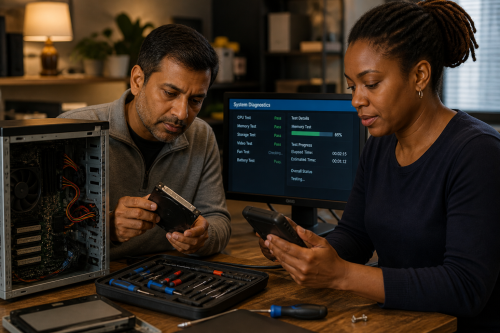
ASK-ICT-Solutions works on repair, maintenance, upgrades and reuse of desktop computers, workstations, laptops, small servers, peripherals and older computer systems. The aim is not only to get a machine working again, but also to understand what failed, what the computer is still useful for, and how it can remain maintainable for longer.

Computer repair can be practical, educational and environmental at the same time. A repaired or upgraded system can prevent unnecessary waste, keep older software or hardware usable, make technology more affordable and help people understand the systems they depend on.

Diagnosis and repair

A computer that no longer works reliably can have many different causes: failing storage, unstable memory, overheating, dust, a worn power supply, damaged connectors, broken solder joints, firmware problems, driver issues, software bloat, malware, account problems or a badly configured operating system.

We try to diagnose the actual cause before replacing parts. Where components are available and the repair is technically reasonable, we may repair the defective part instead of replacing a complete board or module. This can include cleaning, testing, soldering, replacing worn components, checking power delivery, recovering a bootable setup or separating a hardware fault from a software problem.

Upgrades and useful life

A computer does not always need to be replaced because it has become slow or no longer fits the current workload. Depending on the system, useful upgrades may include memory, storage, cooling, power supply, network hardware, graphics hardware, operating system changes or a lighter software setup.

Together we look at what the computer is used for, what still works well, what causes frustration, and what is needed now and later. Sometimes a small upgrade gives a system several more useful years. Sometimes a different operating system, such as Linux, makes an older computer suitable again for writing, browsing, administration, education, workshop use or a specific technical task.

Software, settings and accounts

Not every computer problem is a broken part. A machine can be difficult to use because of unclear accounts, missing passwords, overloaded startup programs, expired licences, confusing cloud settings, broken updates, printer problems, backup failures or software that no longer matches the user's needs.

We can help make the setup understandable again: checking accounts, documenting important settings, cleaning up unnecessary software, setting up backups, choosing suitable applications, explaining update choices and making sure the person using the computer knows how the system is arranged.

Peripherals and daily use

Peripherals such as keyboards, mice, printers, screens, external drives, docks, adapters and cables often decide whether a computer is pleasant to use. These parts wear, collect dust, lose contact, develop power problems or become confusing when too many adapters and temporary solutions accumulate.

We can check, clean, repair or replace peripherals where useful. We also give practical advice about ordinary maintenance, suitable cleaning methods, cable management, backup drives, ergonomic setup and avoiding unnecessary replacement of parts that can still be used safely.

Refurbishing and assisted replacement

We regularly reuse computer parts and rebuild systems into reliable machines for lighter work, education, workshop use or specific tasks. A system that is no longer suitable for one person may still be useful for someone else after cleaning, testing, replacement of weak parts and a fresh software setup.

Sometimes replacement is the better route, but even then the choice can be made carefully. We can help select a suitable new or refurbished computer, explain the trade-offs, arrange installation, transfer data where appropriate, set up accounts and document the important details. Where needed, we can also assist with ordering when someone does not yet have the confidence, language skills, payment options or digital experience to arrange it alone.

Older computers and special-purpose systems

Older computers are not only kept for sentiment. They may control machines, run specific software, support old interfaces, be part of a museum setup, or help explain how computing developed. A home computer, 286, Pentium 4, PowerPC system, old workstation or specialised controller can still have a purpose.

Repairing older computers may involve old storage media, leaking batteries, damaged capacitors, failing power supplies, brittle plastics, rare connectors, unavailable documentation or software that only works in a specific environment. In those cases, the work connects with restoration and retrofit.

Reuse and parts recovery

Computer repair often depends on parts that are no longer easily available. Donor systems, old boards and stored components can make repairs possible that would otherwise be blocked. Memory, power supplies, connectors, expansion cards, switches, screws, screens, drives and small electronic components can all become useful again.

Parts recovery also teaches how systems are built and why they fail. This knowledge helps with future repairs, workshops, documentation and better choices when buying or maintaining equipment.

Learning from computer repair

When useful, computer repairs can be documented as examples, articles, notes or workshop material. A failing power supply, a broken connector, a successful Linux migration, a refurbished system or an older machine brought back into use can all become practical knowledge for others.

This is part of the reason we connect computer repair to right to repair, free software, digital autonomy and technical education. A computer is easier to keep useful when people understand it, can maintain it, and are not forced into replacement before the real problem has been examined.

ASK-Solutions complies with ISO 9001:2008 quality assurance